
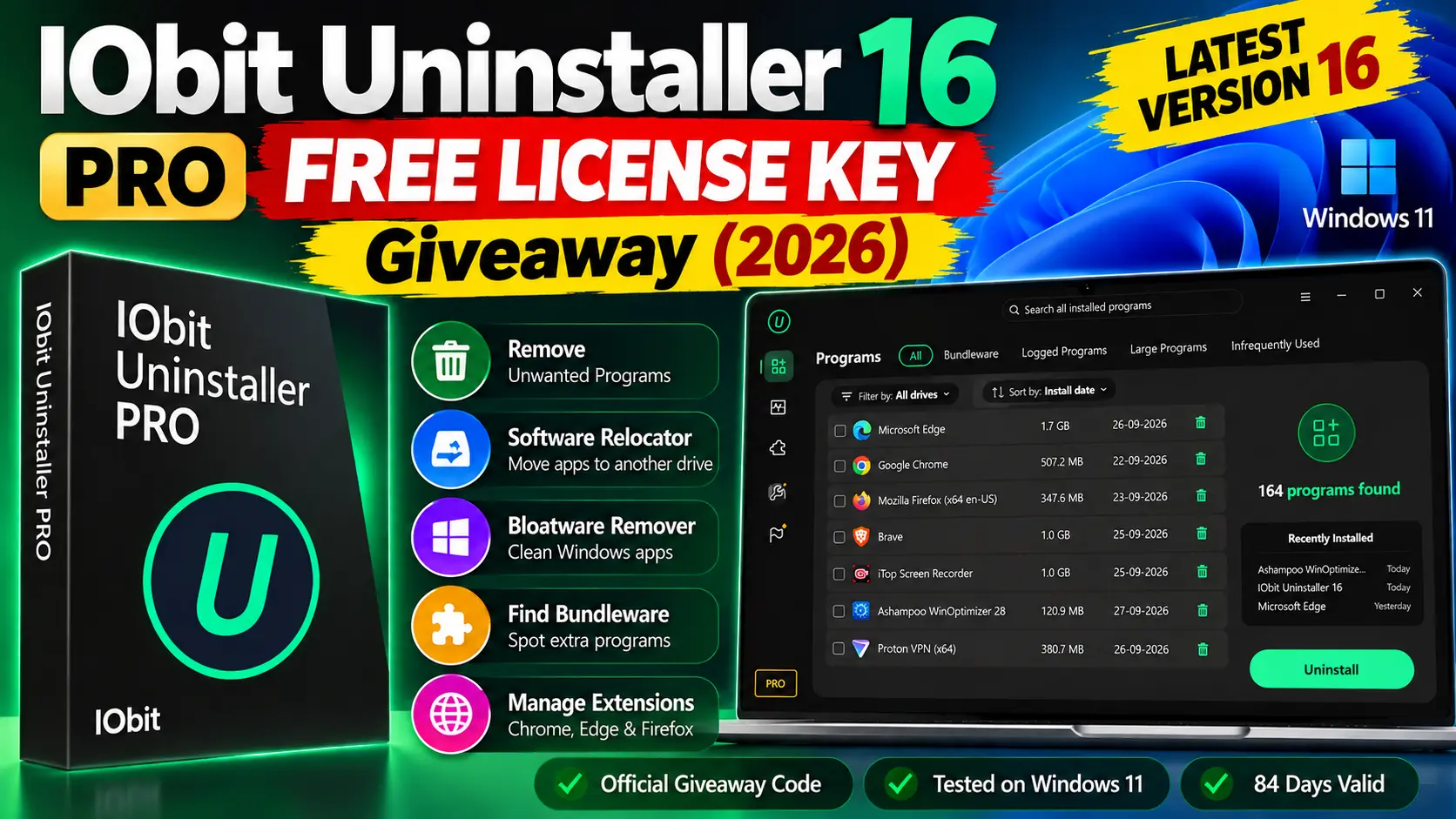
🎁 LIVE GIVEAWAY · Tested 27 Sep 2026
IObit Uninstaller 16 Pro – Free 3‑Month License Key
Version 16 landed on 9 September with two notable additions: Software Relocator, designed to move installed programs to another drive, and Bloatware Remover for clearing out pre-installed Windows apps. Here’s the official code, and what happened when we ran it on our own PC.
🖥️ Windows 11 / 10 / 8 / 7 📦 v16.0.0.32 · 32.7 MB ⏳ ~84 days of Pro 🌐 39 languages
YOUR GIVEAWAY CODE
681BE-968EF-4DC25-65DBF
Tap or double-click to select, then copy. Supplied by IObit for Techno360 readers.
⚡ Quick Read (60 seconds)
- What you get: IObit Uninstaller 16 Pro, unlocked with an official code. Our activation showed 84 days left, expiring 20 Dec 2026.
- New in v16: Software Relocator (move apps between drives), Bloatware Remover (pre-installed Windows apps), a redesigned interface, and a stronger Powerscan for leftovers.
- Best moment in our test: the Bundleware tab caught Nero Info and Nero Basic Content Pack that rode in with Nero Start.
- Watch out for: two optional IObit offers on the installer screen. Untick them if you only want the uninstaller.
- Who should grab it: anyone with a C: drive filling up, or a PC that’s collected years of trial software.

Why We Bothered Testing Version 16
Test environment: Windows 11 PC with 164 installed programs, 50 browser extensions (Chrome, Edge, Firefox) and 89 Windows apps · IObit Uninstaller 16 Pro activated 27 September 2026.
Our test machine is a Windows 11 PC that’s been through a lot. It’s where we try out most of the software you read about on Techno360, and that shows: IObit counted 164 installed programs on the first scan. Some are games we still play, like Cities: Skylines at 16.2 GB. Plenty are tools we installed for one review and forgot.
We covered IObit Uninstaller 15 Pro earlier this year, so we went in knowing the basics. The question for 16 was simple: do the new Software Relocator and Bloatware Remover actually earn a place in the Toolbox, or are they just new icons?
How to Activate IObit Uninstaller 16 Pro for Free
It takes about two minutes. We did it ourselves before writing a word of this post.
- Get the installer. Use the direct download (32.7 MB) or grab it from IObit’s product page.
- Run setup and check the bottom of the window. IObit shows two optional offers (Advanced SystemCare and iTop Data Recovery). Make sure both boxes are empty, then click Install.
- Open the app. In the bottom-left corner you’ll see a green FREE badge. Click the small Enter Code link underneath it.
- Paste the code
681BE-968EF-4DC25-65DBFinto the box and press Register Now. - Confirm it worked. A green tick pops up. The FREE badge turns into an orange PRO badge, and Options → My subscription shows your expiry date.


Heads-up: Giveaway codes like this one usually have a limited activation window, and IObit hasn’t given us a cut-off date. If it’s working today, don’t leave it for next week. If you see an “expired” or “invalid” message, drop a comment and we’ll check with IObit.
What’s Actually New in IObit Uninstaller 16
IObit released version 16 on 9 September 2026. Here’s the change list in plain terms:
🚚
Software Relocator
Move an installed program to another drive without uninstalling and setting it up again.
🧹
Bloatware Remover
Removes Windows apps and components that came pre-installed on your PC.
🔍
Stronger Powerscan
Looks harder for files and registry entries a program leaves behind after uninstalling.
🎨
Redesigned UI
Cleaner layout, tidier Dark and Light modes, and 39 languages.
Software Health also got an upgrade. IObit says it now does a deeper job on leftover files and gives you a more accurate picture of how each app affects performance.
Hands-On: What It Found on Our PC
1. The main Programs list
You get the full list of 164 programs, with size and install date on each row and a trash icon at the end. You can sort by name, size or install date, and filter by drive. The Recently Installed panel on the right is handy. It showed Ashampoo WinOptimizer 28 and IObit Uninstaller 16 installed that day, and a Microsoft Edge update from the day before.

The tabs across the top are where it gets useful:
- Large Programs (anything over 500 MB): 28 on our machine, with Cities: Skylines (16.2 GB), Age of Empires II (4.5 GB) and Visual Studio Community 2026 (3.5 GB) at the top. We also found Visual Studio Build Tools 2019 (2.9 GB) still sitting there from May 2025.
- Infrequently Used (not opened for 2+ months): PDFgear, Notepad++, FileMenu Tools, PC‑Putzer and PC Fresh 2026. That’s a fair list of things we could let go.


2. Bundleware: the tab that caught us out
This one surprised us. We’d installed Nero Start at some point, and IObit showed that it had also put Nero Info and Nero Basic Content Pack on the PC. We didn’t remember agreeing to either. The screen shows the parent program with its bundled extras nested underneath, so you can see exactly what came in with what.
When we removed the Nero bundle, the dialog had two options already ticked: Create a restore point before uninstall and Automatically remove residual files. Leave the restore point option on. It adds a few seconds, and you can roll back if something goes wrong.


Our advice: the Bundleware tab also listed Microsoft Edge WebView2 Runtime as bundled with Edge. Don’t remove it. Lots of Windows apps use WebView2 to display their interface, including many chat, office and launcher apps. Just because the tab lists something doesn’t mean you should delete it.
3. Browser extensions across Chrome, Edge and Firefox
IObit found 50 extensions across our three browsers and put them in one list with user ratings, and on our test PC it reported no malicious extensions. That’s what IObit’s scan said on the day, not a guarantee that every extension is safe. It also showed how many VPN and proxy extensions we’d collected during testing (CyberGhost, DotVPN, 1clickVPN). If you’ve been browsing for a while, run this scan. Extensions you forgot you installed can still read the pages you visit.

4. Software Health: nine checks in one scan
This section covers uninstall leftovers, outdated software, temp files, app hibernation, hidden permissions, annoying notifications, programs that won’t uninstall, old setup files, and malicious software or extensions. You get nine checkboxes and one Scan Now button. Software Hibernation is the one to try on a low-RAM laptop, because it puts apps you’re not using to sleep.

5. The Toolbox (and the two new tools)
The Toolbox has nine tools: Install Monitor, Software Updater, Easy Uninstall (Ctrl+Alt+U), Force Uninstall+, Stubborn Program Remover, File Shredder, and the new Software Relocator and Bloatware Remover, both marked with an orange dot. There’s also a Windows Updates Uninstall tool, which is useful if a bad patch breaks something.
Software Relocator is the addition we’re most interested in. IObit says it moves installed programs to another drive without the usual uninstall-and-reinstall routine. In our view, that matters most on PCs with a small system SSD, where games and IDEs like Visual Studio eat up C: quickly (our Large Programs list shows how fast that adds up). If you try it, start with a small, non-critical app before moving anything big, and keep a restore point.
Bloatware Remover works on pre-installed Windows apps. Our Windows Apps tab listed 89 of them. Be sensible here: Microsoft.BingNews and BingWeather are fine to remove, but leave Microsoft Store, Microsoft Defender, DesktopAppInstaller (which winget needs) and the Windows App Runtime packages alone.


Specs at a Glance
| Version | 16.0.0.32 |
| Released | 9 September 2026 |
| Developer | IObit |
| Download size | 32.7 MB |
| Windows support | 11, 10, 8.1, 8, 7 (Vista/XP still listed) |
| Minimum hardware | 256 MB RAM, 300 MHz CPU, 50 MB disk (per IObit) |
| Browsers covered | Chrome, Edge, Firefox, Opera, Internet Explorer |
| Stubborn programs handled | 4,000+ |
| Giveaway license | Pro, ~3 months (84 days when we activated) |
What We Thanksd, and What Bugged Us
- Bundleware tab clearly groups bundled extras under their parent program
- Software Relocator targets low system-drive space
- Restore point was enabled by default in our uninstall test
- Large and Infrequently Used filters make cleanup quick
- One screen for extensions across three browsers
- Setup shows two optional product offers (you can untick them)
- Bundleware lists system components like WebView2 that you shouldn’t remove
- Giveaway Pro lasts about 3 months, not a year
- Free edition shows upgrade prompts
Other Uninstallers and IObit Giveaways Worth a Look
If you want a second option, Ashampoo UnInstaller 15 takes a different approach, based on snapshots and install logging. To keep the programs you do use up to date, IObit’s own Software Updater 8 is covered in its own review and giveaway post. And if you’re coming from the previous version, our IObit Uninstaller 15 Pro review explains what’s changed.
For every active license key and full-version giveaway in one place, check our Free Software Giveaways hub. We update it as new deals come in.
✔
TECHNO360 VERDICT
Worth claiming, especially if your C: drive is tight
IObit Uninstaller 16 goes well beyond basic program removal. On our PC it flagged bundled Nero components we’d missed, and the Nero uninstall dialog offered a restore point by default. Software Relocator is aimed at PCs short on system-drive space, and Bloatware Remover gives you another way to review pre-installed Windows apps, as long as you’re careful about what you remove.
The giveaway gave us 84 days of Pro when we activated it on 27 September 2026. That’s enough time to clean up properly and decide whether it’s worth paying for later. Untick the installer offers, keep restore points on, and don’t remove system components.
Interface: Redesigned layout, Dark and Light modes
Program cleanup: Powerscan (per IObit) and residual-file removal
Bundleware: Caught 2 Nero extras on our PC
Storage: Software Relocator (new)
Windows cleanup: Bloatware Remover (new), 89 apps listed
Browsers: 50 extensions detected in our test
Giveaway: 84 days of Pro at activation
FAQs
Is this giveaway code legitimate?
Yes. IObit gave it to us for this review, and we activated it ourselves. The License Manager screenshot above shows it as Activated, valid until 20 December 2026.
How long does the Pro license last?
When we activated it on 27 September 2026, it showed 84 days left, so about three months.
Is IObit Uninstaller 16 free without the code?
Yes, the standard version is freeware. The code unlocks Pro, which IObit sells for deeper scans and more thorough removal of stubborn apps.
Will IObit Uninstaller 15 still work?
Yes. IObit says version 15 keeps working. You only need 16 if you want the Relocator and Bloatware Remover.
Can I keep another uninstaller installed alongside it?
IObit says it’s compatible with most software, but its own FAQ advises against keeping more than one removal tool on the same PC.
Will it run on an old low-spec laptop?
According to IObit, it runs on as little as 256 MB RAM and a 300 MHz processor with 50 MB of free disk space. Most modern Windows PCs comfortably exceed those minimums.
Tested by Ramakanth on a Windows 11 PC on 27 September 2026. Version details come from IObit’s official release notes and product page. The giveaway code was supplied by IObit for review.


![Allavsoft Free License- Video and Music Downloader [Windows/Mac] | Free Download](https://www.draxly.xyz/wp-content/uploads/2026/05/Allavsoft-Box-Shot.avif.avif)
